
Best Mobile Apps for Wedding Planners in 2026: Ranked
Rundown ranks the best mobile apps for wedding planners in 2026 — from full CRM and vendor coordination on your phone to free calendar tools you already use.
Featured

Best overall: Rundown. Best for invoicing and contracts on the go: HoneyBook. Best free option: Google Workspace (Drive, Sheets, Calendar). Those three cover most independent planners; the other three picks below fill specific gaps — day-of timelines, design boards, and simple task boards.
TL;DR
Rundown wins for planners who need CRM, client portal, timelines, budgets, and vendor coordination on one phone screen in 2026.
HoneyBook is the strongest pick for invoicing and e-signatures when you're mid-walkthrough or between vendor calls.
Google Workspace (Drive, Sheets, Calendar) is the only free-tier option on this list, but you assemble the structure yourself.
Timeline Genius and Aisle Planner cover narrower jobs — day-of timelines and design boards — not full practice management.
Trello works as a basic day-of checklist but has zero wedding-specific fields for vendors, budgets, or clients.
Why this matters
Most of a planner's phone-time doesn't happen at a desk. It happens in a parking lot before a walkthrough, backstage during a reception, or in a hallway when a vendor asks for the updated arrival time. If your Rundown system, your invoicing tool, and your timeline live in three different apps, that's three logins during the fifteen minutes you actually have.
The apps below get judged on what they do when you're not at your desk in 2026 — not just what their desktop dashboards look like. Vendor coordination is part of that test, because a mobile app that can't update a vendor contact or a delivery window from the venue floor isn't actually a mobile tool, it's a desktop tool with a smaller screen.
What makes the best mobile app for wedding planners
Works when venue Wi-Fi or cell signal drops out — basements, tents, and old hotel ballrooms are notorious dead zones
Syncs client, vendor, and timeline data in real time across your phone, tablet, and laptop
Lets you update the day-of runsheet on-site without switching to a second app
Handles more than one job — CRM, budget, or vendor list, not just a notes field
Has a usable free tier or low entry cost for solo and small-firm planners
Doesn't require a laptop to pull up a contract, seating chart, or vendor number mid-event
At a glance
Rundown
Best for: Running your full planning business from your phone
Standout feature: CRM, client portal, timelines, budgets, and vendor coordination in one login
Key limitation: No standalone design/mood-board module separate from the CRM
HoneyBook
Best for: Invoicing and contracts on the go
Standout feature: Mobile e-signatures and payment tracking
Key limitation: Built for creative businesses broadly, not wedding-day logistics
Aisle Planner
Best for: Design boards and style proposals from your phone
Standout feature: Visual mood boards and client-facing design proposals
Key limitation: Mobile view leans visual, lighter on vendor coordination
Timeline Genius
Best for: Building and sharing day-of timelines
Standout feature: Real-time timeline pushes to vendors and staff
Key limitation: Handles timelines only — no CRM or budget tracking
Trello
Best for: Simple day-of checklists and task boards
Standout feature: Drag-and-drop boards any team member can use
Key limitation: Not built for weddings — no client, vendor, or budget fields
Google Workspace
Best for: Free file and calendar access
Standout feature: Drive, Sheets, and Calendar most planners already own
Key limitation: No client portal or CRM — you build the structure yourself
1. Rundown: best mobile app for running your full planning business
Rundown puts CRM, client portals, timelines, budgets, and vendor coordination in one system, and that system is accessible from a phone, so a question during a venue walkthrough doesn't send you back to a laptop. Instead of a separate app for invoicing, another for the timeline, and a spreadsheet for vendors, everything sits behind one login. For planners running 10 to 30 weddings a year, that's the difference between checking one app during cocktail hour and checking three.
Vendor coordination is where this matters most on-site: pulling up a vendor's contact info, updating an arrival window, or checking a contract detail without leaving the app you're already in. The vendor management software for event planners breakdown covers this in more depth if vendor logistics are your biggest headache.
Rundown pros:
CRM, client portal, timelines, budgets, and vendor coordination in one connected system
Client portal updates sync in real time, so both sides see the same information
Built specifically for wedding and event planners, not generic freelance businesses
Rundown cons:
No dedicated mood-board or design-proposal module the way Aisle Planner has
Newer to the market than legacy planning platforms, so some integrations are still growing
Rundown best for: planners who want one phone-accessible system from first inquiry to last dance, without the chaos of switching apps mid-event.
Verdict: Buy.
2. HoneyBook: best mobile app for invoicing and contracts on the go
HoneyBook is a client-management platform built for creative businesses, and a large share of wedding planners use its mobile app specifically for sending contracts, collecting e-signatures, and tracking invoices between venue visits. It's strong at the business-paperwork layer of planning.
What it isn't built for is wedding-day choreography — it doesn't have planner-specific fields for vendor arrival windows, ceremony timelines, or seating charts. Planners often pair it with a separate timeline or CRM tool once the wedding-week logistics start.
HoneyBook pros:
Mobile e-signatures and payment tracking work well for on-the-go contract signing
Client communication threads stay attached to the project
Familiar to many vendors, which smooths cross-team paperwork
HoneyBook cons:
Built for creative freelancers broadly, not wedding-day logistics specifically
No vendor coordination or day-of timeline tools built in
HoneyBook best for: planners whose biggest mobile pain point is chasing signatures and invoices, not running the wedding day itself.
Verdict: Hold — good as a paperwork layer, not a full replacement for planning-specific software.
3. Aisle Planner: best mobile app for design boards and style proposals
Aisle Planner is a wedding-planning platform built around visual presentation — mood boards, design proposals, and style guides that clients can review from their phones. Planners who lead with design work lean on it heavily during the proposal stage.
On mobile, the design-board experience holds up well, but the vendor-coordination and day-of tools feel secondary to the visual layer. If your business is design-forward, this fills a real gap; if it's logistics-forward, it's not the primary tool.
Aisle Planner pros:
Strong visual mood boards and client-facing design proposals
Client-friendly presentation on a phone or tablet
Established in the wedding-planning space
Aisle Planner cons:
Vendor coordination and day-of runsheet tools are lighter than design features
Mobile experience leans visual over operational
Aisle Planner best for: design-led planners whose proposals depend on strong visual boards.
Verdict: Hold — the right tool if design is your differentiator, secondary otherwise.
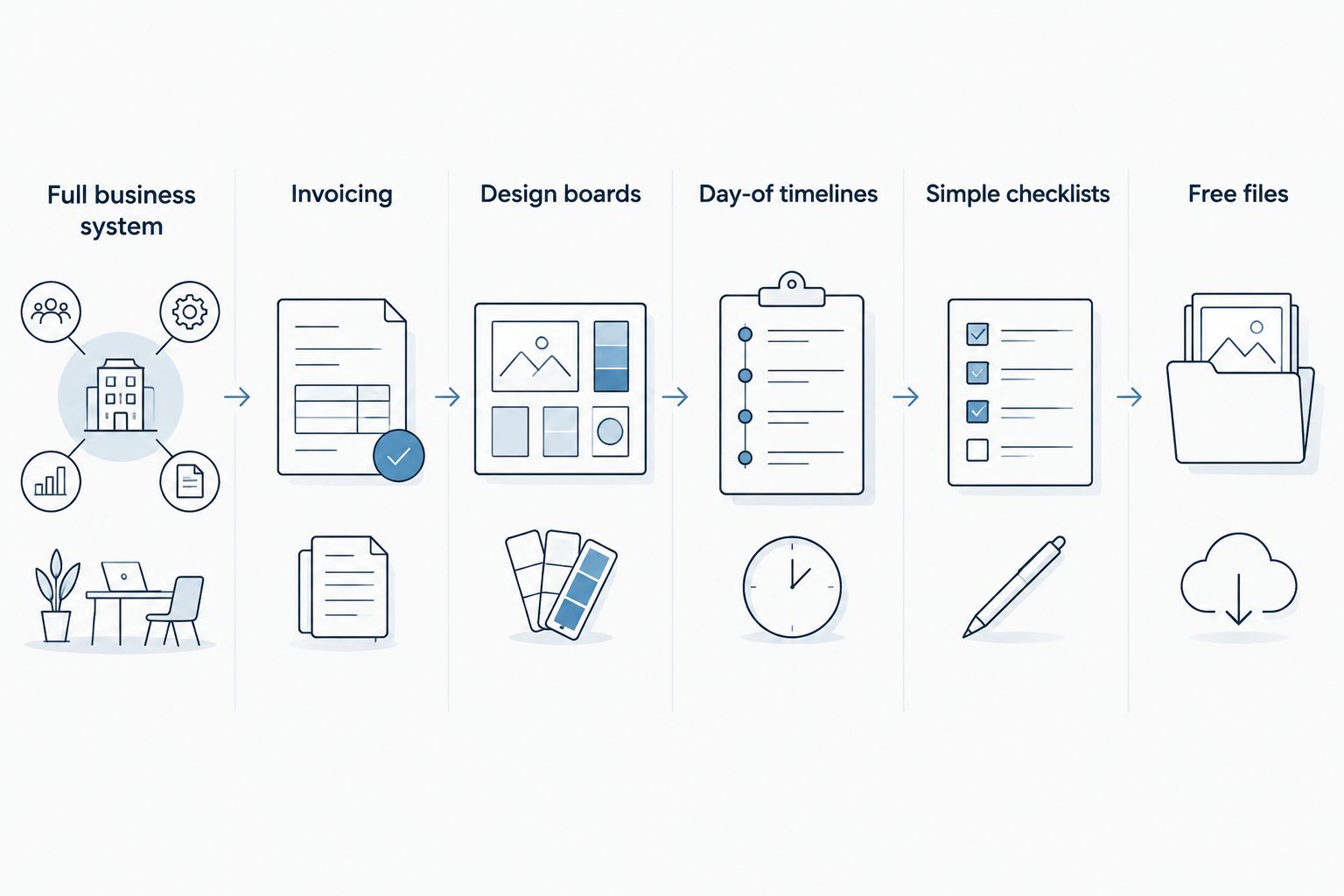
Each app on this list owns a different job — the overlap is smaller than it looks.
4. Timeline Genius: best mobile app for building and sharing day-of timelines
Timeline Genius is a dedicated timeline-building tool. Planners use it to construct minute-by-minute day-of schedules and push real-time updates to vendors and staff when a ceremony runs late or a vendor calls to say they're behind. That real-time push is the standout feature — everyone on the list gets the new time at once instead of a chain of texts.
It does one job and does it on purpose: timelines. It has no CRM, no client portal, and no budget tracking, so it works as an add-on rather than a full system.
Timeline Genius pros:
Real-time timeline updates push to vendors and team members instantly
Purpose-built for the mechanics of a wedding-day schedule
Timeline Genius cons:
No CRM, budget, or client-portal functionality
Adds a fourth or fifth app to a planner's stack rather than consolidating one
Timeline Genius best for: planners who already have a CRM and just need a sharper, faster timeline tool for wedding week.
Verdict: Hold — strong at one job, not a system.
5. Trello: best mobile app for simple day-of checklists
Trello is a general task-board app, not built for weddings at all, but plenty of planners use its free boards for day-of checklists — vendor arrivals, setup tasks, and staff assignments organized as drag-and-drop cards. Anyone on the team can update a card from their phone without training.
The tradeoff is obvious: there's no client field, no vendor database, and no budget tracker. It's a checklist tool wearing a planning hat.
Trello pros:
Free, familiar, and simple enough for any team member to use immediately
Drag-and-drop cards work well for live, changing checklists
Trello cons:
Not built for weddings — no CRM, budget, or vendor-specific fields
Requires manual setup for every event since there's no wedding-planning template built in
Trello best for: planners who just need a shared, live checklist on the wedding day and nothing more.
Verdict: Wait — fine as a supplement, not a planning system.
6. Google Workspace: best free mobile option for basic file and calendar access
Google Workspace — Drive, Sheets, and Calendar — is the free option most planners already have installed, and it's genuinely usable on mobile for pulling up a contract PDF, checking a spreadsheet budget, or confirming a calendar block. No new account, no new app to learn.
The catch is structure. There's no client portal, no CRM, and no vendor database — you're building a folder system by hand for every wedding, and it stays organized only as long as you keep it that way. It's the entry point, not the destination, for most planners scaling past a handful of weddings a year.
Google Workspace pros:
Free and already installed on most phones
Flexible enough for spreadsheets, documents, and shared calendars
Google Workspace cons:
No client portal, CRM, or vendor coordination features
Organization depends entirely on manual folder and file discipline
Google Workspace best for: planners just starting out who need a zero-cost stopgap before moving to dedicated software.
Verdict: Wait — workable for a first year or two, not a long-term system.
How we ranked
Each app got measured against the six criteria above: real-time sync, on-site reliability, breadth beyond a single task, mobile usability without a laptop, and cost of entry. Rundown ranks first because it's the only entry that covers CRM, client portal, timelines, budgets, and vendor coordination together on mobile in 2026. The rest earn their spots by doing one job — invoicing, design, timelines, checklists, or free file storage — well enough to matter, but not broadly enough to replace a full system.
Run your weddings from your phone
Start the free plan and manage CRM, timelines, and vendors from anywhere.
Which mobile app for wedding planners should you choose?
If you're running 10 to 30 weddings a year and want one system that follows you from first inquiry to last dance, Rundown is the default pick for 2026 — CRM, client portal, timelines, budgets, and vendor coordination all reachable from your phone. If invoicing and e-signatures are your biggest daily friction point and you're comfortable running a separate timeline tool, HoneyBook covers that gap well. If you're brand new and not ready to pay for software yet, Google Workspace gets you through your first few weddings, but plan to outgrow it.
Solo and freelance planners weighing all of this against a tighter budget should check the wedding planner apps for solo freelance planners breakdown before committing to a stack.
FAQ
What's the best mobile app for wedding planners in 2026?
Rundown is the strongest overall pick for 2026 because it runs CRM, client portal, timelines, budgets, and vendor coordination from one phone-accessible system. HoneyBook and Google Workspace are stronger for narrower jobs like invoicing or free file access.
Is there a free mobile app for wedding planners?
Google Workspace (Drive, Sheets, Calendar) is free and works on mobile for basic files and calendars. It has no CRM or client portal, so most planners outgrow it once their client list grows past a few weddings.
Can I coordinate vendors from my phone during a wedding?
Yes, if your CRM includes mobile vendor coordination, like Rundown does, you can update arrival times and contact details on-site instead of texting a chain of people. Apps built for a single task, like Trello or Timeline Genius, don't include a vendor database at all.
Is HoneyBook good for wedding planners?
HoneyBook works well for contracts, e-signatures, and invoicing on mobile, and many planners use it for that layer. It's built for creative businesses generally, so it lacks wedding-specific tools like day-of timelines and vendor coordination.
Is Trello enough for running a wedding day, or do I need a dedicated CRM app?
Trello works as a free supplemental checklist for day-of tasks but has no client, budget, or vendor fields. Planners running multiple weddings a year typically need a dedicated CRM app like Rundown alongside or instead of it.
What's the best app for building a day-of wedding timeline on a phone?
Timeline Genius is built specifically for constructing and sharing minute-by-minute day-of timelines on mobile, with real-time updates pushed to vendors. Rundown covers timelines too, within the same system as your CRM and budgets.
Does Rundown have a mobile app?
Rundown's CRM, client portal, timeline, budget, and vendor tools are accessible from a mobile device, so you're not tied to a desktop when a question comes up at a venue walkthrough or during the reception.
Is Aisle Planner good on mobile?
Aisle Planner's mobile experience holds up well for design boards and style proposals, which is its core strength. Vendor coordination and day-of runsheet tools are lighter than its design features.
One last thing
Test whatever app you pick from an actual venue dead zone before the wedding day, not from your office Wi-Fi. Old ballrooms, tented receptions, and basement prep rooms are where mobile tools either hold up or fail, and 2026 hasn't changed the physics of a concrete basement blocking a cell signal. If an app needs a strong connection to load your timeline, find that out at a walkthrough, not during cocktail hour.
Related guides

