Can wedding planner software handle multi-day event schedules?
Can wedding planner software handle multi day event schedules? Yes—with date-specific runsheets, vendor coordination, and a clear master schedule.


Yes—wedding planner software can handle multi-day event schedules when it supports dated timeline entries and a clear way to organize each event within the wedding. The caveat is that a timeline feature alone does not prove multi-day support: test date handling, vendor handoffs, and the information each person receives before you commit.
TL;DR
Can wedding planner software handle multi day event schedules? Yes—verify dated entries and separate daily runsheets before choosing.
Keep the wedding connected, but give each event its own date, location, vendor responsibilities, and handoffs.
Rundown suits professional planners seeking CRM, client portals, timelines, budgets, and vendor coordination in one system.
Test a schedule change across the wedding weekend, not just a single ceremony timeline.
Why this matters
A welcome event, wedding day, and farewell gathering belong to the same client relationship. They do not belong on an undated list that leaves vendors guessing which arrival time applies.
For an independent planner managing roughly 10–30 weddings per year, the useful distinction is one connected wedding record, with clearly separated event instructions. When you assess Rundown or another planning system, start with that operational requirement rather than the length of its feature list.
For your 2026 software evaluation, use an actual multi-day wedding brief. A blank demonstration timeline will not show whether the workflow fits your business.
Can wedding planner software handle multi-day event schedules?
Yes, provided you can assign activities to the correct dates and keep the relationship between those activities understandable. Your test should cover the entire wedding schedule, including setup, guest-facing events, supplier access, breakdown, and responsibilities that cross midnight.
Use this sequence during a trial or demonstration:
Create the wedding record. Keep the client relationship, planning context, and event references together. Establish which record is the authoritative home for the wedding.
Separate the event dates. Add the welcome event, wedding day, and farewell gathering using their actual dates. Check that the date remains visible when you view an individual activity.
Assign operational details. Record locations, vendor responsibilities, arrival instructions, and the person accountable for each handoff. A time without an owner is not a complete instruction.
Change the schedule. Move an activity and inspect every affected view or document. Confirm what updates and what still needs your attention.
A multi-day schedule works only when someone can identify the date, location, and responsibility without asking you to interpret it. That is the acceptance test—not whether the software lets you keep adding rows.
For a separate look at calendar-based scheduling, read the workflow from Google Calendar to wedding timelines. Treat calendar synchronization and multi-day event organization as separate checks; one does not establish the other.
Master schedule and daily runsheets: use both deliberately
You need an overview of the wedding and practical instructions for each event. Those are different reading tasks, even when the information comes from the same system.
Master schedule
Best for: Planner oversight across the wedding
Advantage: Keeps event relationships visible
Limitation to manage: Too much detail can obscure immediate instructions
Daily runsheet
Best for: Execution on a specific date
Advantage: Focuses attention on that day's work
Limitation to manage: Can hide dependencies on another date
Vendor brief
Best for: A supplier's responsibilities
Advantage: Separates relevant instructions from unrelated activity
Limitation to manage: Needs checking whenever the underlying schedule changes
These are workflow options, not promises that every platform generates each view automatically. During your 2026 evaluation, establish whether the system supports your preferred structure directly or requires a manual document alongside it.
Master schedule: best for planner oversight
Keep the master schedule as your operational reference across the wedding. Include the event dates, venues, major transitions, supplier access, and completion points that affect subsequent work.
The advantage is context. You can see how an evening breakdown relates to the next event's setup instead of reviewing each date in isolation.
The drawback is density. Do not ask every vendor to interpret your entire planning record. Keep the overview complete enough for you to manage, then decide what information each recipient actually needs.
Daily runsheet: best for event execution
A daily runsheet should answer what happens on that date, where it happens, who owns it, and what must be ready beforehand. Put the event name and date where readers cannot miss them.
Its strength is focus. A supplier arriving for the welcome event should not have to search through the ceremony schedule to find an access instruction.
Its limitation is separation. If equipment, staff, or transport carries over from another event, repeat the relevant handoff information rather than assuming the reader has studied the master schedule.
Vendor brief: best for specific responsibilities
A vendor brief narrows the instructions to a supplier's work: arrival, access, setup readiness, service responsibilities, handoffs, and departure. Include the relevant event date and location alongside those instructions.
The benefit is relevance, but maintaining a separate brief introduces another version to control. Before distributing it, compare it with the current schedule and make the issue date clear.
Build the schedule around handoffs, not just start times
A ceremony start time tells you when an event begins. It does not tell you whether the transport has arrived, the setup is ready, or the responsible supplier has confirmed the handoff.
Build your 2026 scheduling checklist around the operational chain below. Use the same fields consistently across every event so you can review the weekend without translating different document styles.
Event dates: Identify the calendar date, not just the weekday or event nickname.
Locations: State the venue and the relevant arrival or working area.
Vendor responsibilities: Record who supplies, sets up, operates, collects, or confirms each item.
Handoffs: Identify what must be ready before the next activity can proceed.
Schedule changes: Establish who approves revisions and who receives the revised instructions.
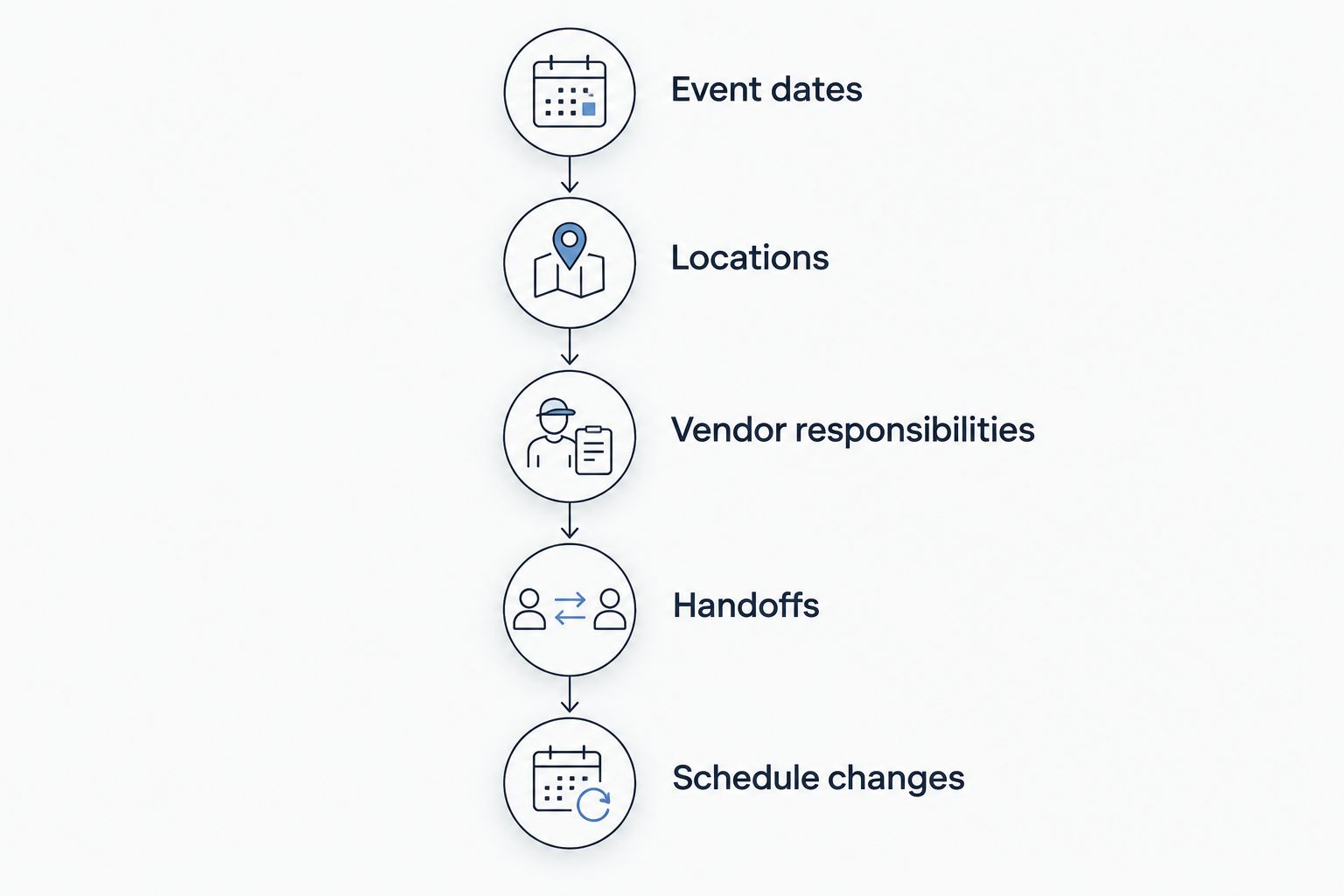
A start time becomes actionable when the location, owner, and handoff are clear.
Keep responsibility separate from attendance. A vendor can be present without owning the task you need completed; name the accountable role rather than listing everyone involved.
For activities that cross midnight, check the calendar date explicitly. Do not rely on the visual position of a row to communicate whether a collection happens after the reception or before the next event.
Why multi-day scheduling requirements vary
The right setup depends on the work you coordinate, not simply the number of dates on the calendar. Use these factors to decide how much separation and detail your schedule needs:
Event structure: A welcome gathering and a wedding reception need distinct instructions, even when they share the same client record.
Location changes: Moving between venues introduces departure, arrival, and access details that a start time alone does not capture.
Vendor coordination: Suppliers working across several events need responsibilities attached to the correct date and location.
Client communication: Couples need a useful planning view without being asked to manage the operational detail you own.
Budget organization: Expenses need enough context to show which event or responsibility they belong to.
Revision handling: A change to one event needs a deliberate review of related activities and distributed documents.
Choose the simplest structure that still makes responsibilities explicit. More separate files are not automatically more organized, and a single crowded timeline is not automatically more connected.
How should you test multi-day scheduling before switching?
Use a representative wedding, not a simplified sample. Include a venue change, a supplier working across events, a late collection, and an activity whose timing depends on another task.
Follow the record from client planning through vendor instructions. Check whether you can find the correct date without opening unrelated notes, identify the current schedule, and explain what each supplier should receive.
Then make a realistic revision. Move the welcome event or change a setup instruction and inspect the consequences yourself. Ask the software provider to demonstrate the same change rather than describing how it should work.
For your 2026 shortlist, write down the result as works directly, requires a manual step, or does not fit. Manual work is not automatically disqualifying, but it must be visible before you move client records.
What should you check beyond the timeline?
Check how the schedule relates to your client communication, budgets, and vendor coordination. A well-organized timeline still leaves administrative work if you cannot connect the instructions to the planning record you use every day.
Rundown wedding planner software is best for professional planners who want CRM, client portals, timelines, budgets, and vendor coordination in one connected system. Its fit is the connected practice-management workflow, from first inquiry to last dance.
The tradeoff is adopting a shared way of organizing your planning work. If you only need a standalone runsheet, a wider practice-management system brings processes you must decide how to use; verify the multi-day schedule layout during your evaluation rather than assuming connected features guarantee your preferred output.
Start the Rundown free plan with a representative wedding and test the handoffs before moving your active work. Keep the planner—not the software—in charge of what is approved and distributed.
Test your wedding workflow
Explore Rundown's CRM, client portals, timelines, budgets, and vendor coordination with the free plan.
Should every event have a separate project?
Not automatically. Keep the client relationship connected, then decide whether the software's event organization gives you enough separation for execution.
Separate projects can make individual events easier to distinguish, but they also create places where client details and shared instructions need reconciliation. Test that tradeoff before creating independent records for every gathering.
Can vendors receive only their part of the schedule?
That depends on the platform's sharing and document controls. Test the actual recipient experience rather than assuming a client portal or timeline feature includes vendor-specific access.
If you prepare vendor briefs manually, treat each brief as a controlled copy. Check it against the approved schedule and establish how you will replace it after a revision.
Does a calendar connection prove multi-day support?
No. A calendar connection and a multi-day operational schedule solve different tasks.
Your 2026 acceptance test should establish how the system handles dates, responsibilities, handoffs, and revisions. A calendar entry alone does not show that those instructions stay clear across the wedding.
FAQ
Can wedding planner software handle multi day event schedules?
Yes, when it supports dated timeline entries and a clear structure for each event. Test date visibility, vendor handoffs, and revision handling with a representative wedding before choosing.
What's the best way to organize a wedding weekend schedule?
Use a master schedule for planner oversight and date-specific runsheets for execution. Give each activity a location, responsible person, and relevant handoff instructions.
Should I put the rehearsal and reception on the same timeline?
Keep them connected within the wedding, but distinguish their dates and operational instructions. Whether you use separate views or documents depends on the platform and your working method.
Can a client portal replace vendor runsheets?
A client portal does not automatically replace vendor runsheets. Confirm which instructions vendors can access and whether those instructions remain appropriate for each recipient.
How do I handle wedding activities after midnight?
Assign activities after midnight to their actual calendar date. Check how the date appears in every view or document that recipients will use.
What should I test when trying Rundown for a multi-day wedding?
Test a representative wedding across timelines, client portals, budgets, and vendor coordination. Verify the exact multi-day layout and sharing workflow before moving active client work.
One last thing
Test the final collection, not just the ceremony entrance. A late equipment pickup forces you to check the date boundary, supplier responsibility, access arrangements, and the instruction that closes the job.
If the final handoff is clear, you have tested more than a polished ceremony timeline. Use that same standard when approving every event's runsheet.