How do I transition a client from lead to booked in a CRM?
How do I transition a client from lead to booked in a CRM? Verify booking requirements, update the record, stop sales follow-ups, and start onboarding.


Transition a client from lead to booked in your CRM by verifying that the client has met your booking requirements, updating the existing record, and starting your onboarding checklist. Use your agreement’s requirements—not a verbal yes or an accepted proposal—as the booking gate. Keep the inquiry history attached so the handoff into planning preserves the scope, decisions, and promises already discussed.
TL;DR
How do I transition a client from lead to booked in a CRM? Verify booking requirements before changing the status.
Rundown connects wedding planner CRM, client portals, budgets, timelines, and vendor coordination for independent professional planners.
Keep the existing client record, stop sales follow-ups, and assign the next onboarding task.
An accepted proposal is not a completed booking unless it meets your agreement’s requirements.
How do I transition a client from lead to booked in a CRM?
Confirm the booking evidence first; change the CRM status second. Then move the client into your new-client onboarding workflow, carrying the inquiry details forward rather than collecting them again.
Use this sequence as your operating checklist. The field names and available actions depend on your CRM; the checks remain the same.
1. Verify requirements
Write down what makes a booking complete under your own agreement. That might include an executed agreement, a required initial payment, or another explicit condition. Treat these as your business rules, not universal legal requirements.
Check the evidence against the correct wedding and service scope. An agreement for coordination does not confirm full-service planning, and a payment notification does not establish that every booking condition is complete.
Confirm that the required parties have signed the correct agreement.
Verify any required payment against the actual payment record.
Check that the event date and service scope match the accepted terms.
Record approved exceptions instead of silently skipping requirements.
If something remains outstanding, keep the record in a clearly named pending stage. Do not use Booked as a reminder to finish the booking later.
2. Update the record
Open the existing inquiry and confirm the client names, contact details, event date, venue information, and planning scope. Separate confirmed details from tentative ones. A preferred venue is not a contracted venue.
Keep 1 event record per wedding as your default organizing rule, with the relevant contacts attached. If your CRM separates contacts, opportunities, and projects, connect those records rather than creating an unrelated client entry.
Preserve consultation notes and the accepted proposal. Your planning record should explain what the client bought and what you agreed to deliver without requiring a search through old messages.
3. Confirm booked
Change the opportunity or inquiry status only after the requirements are satisfied. Record the booking date separately from the wedding date so your business history remains clear.
Assign 1 accountable owner per inquiry and carry that ownership into the booked event. A solo planner can own both stages; a small team should name the person responsible for the next action.
If moving the status creates a project in your CRM, review the resulting project before continuing. Check for duplicate events, missing contacts, and a service template that does not match the agreement.
4. Stop sales follow-ups
Remove the booked client from proposal-chasing and inquiry follow-up tasks. Check scheduled messages as well as open reminders; changing a status does not prove that every connected workflow has stopped.
Keep payment obligations distinct from sales messages. Ending a proposal reminder should not erase a legitimate payment task or remove the underlying agreement history.
If your CRM supports automated actions, test the transition before applying it to live clients. Confirm what triggers, what stops, and what still needs your approval.
5. Start onboarding
Create the first planning tasks, assign their owners, and set due dates that match the client’s service scope. Prepare the welcome message, check client-facing information, and provide portal access when appropriate.
Bring confirmed details into the budget, vendor coordination notes, and initial timeline. Leave unresolved details marked as unresolved; an empty field is better than a guessed ceremony time becoming part of the runsheet.
Finish with a plain-language confirmation that tells the client what is complete and what happens next. Avoid asking for information already captured during the inquiry unless you need the client to verify it.
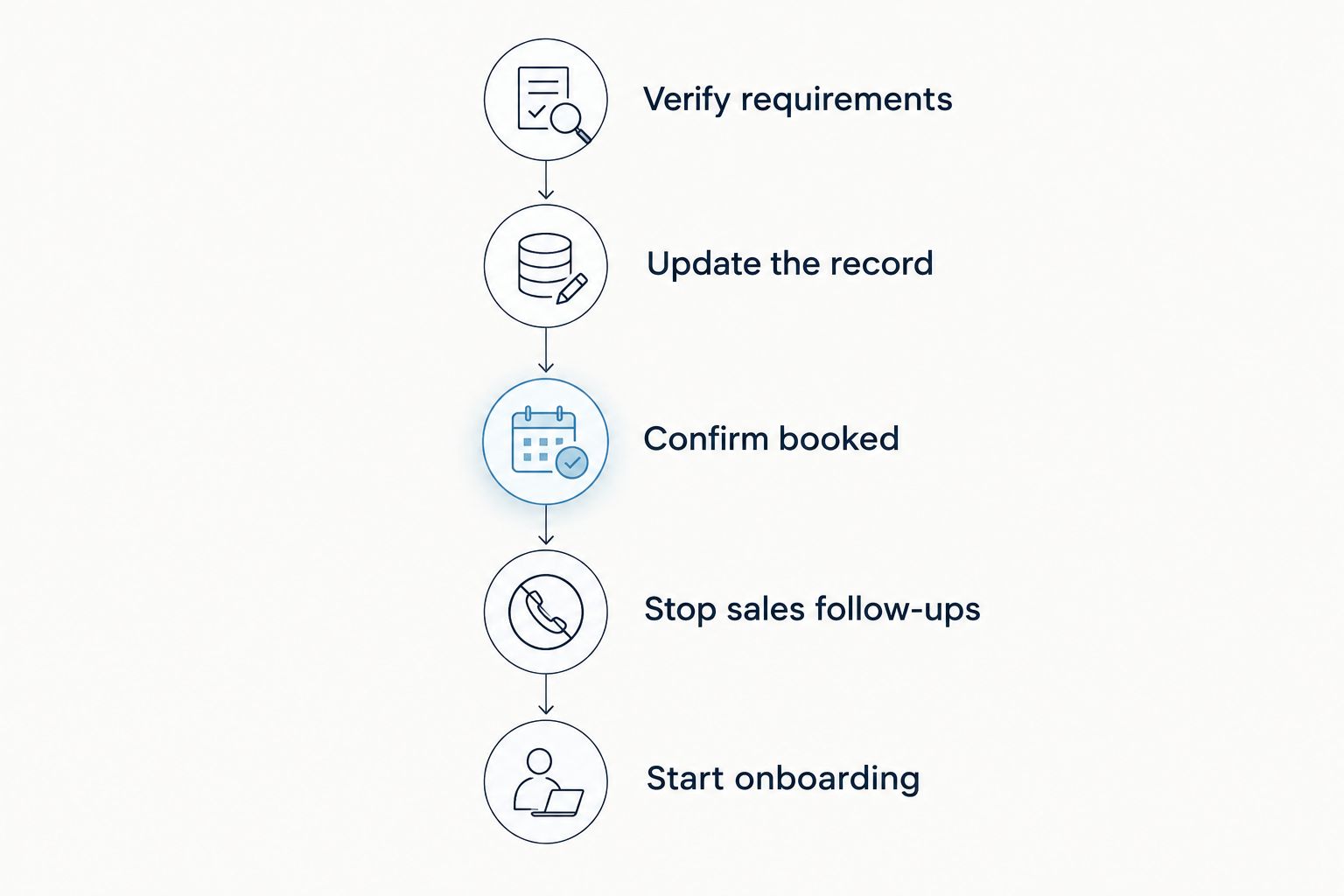
Confirm the booking before stopping sales follow-ups and starting planning tasks.
Why this matters
For an independent planner managing 10–30 weddings per year, the booking handoff connects sales promises to actual planning work. It is where an accepted service scope becomes tasks, client communications, budget decisions, and vendor coordination.
Your 2026 workflow should make that handoff readable without relying on memory. Another planner should be able to open the event and identify what is confirmed, what remains open, and who owns the next action.
Rundown is best for independent wedding planners who want CRM and event planning in one connected system. The fit is the connection between inquiry management and delivery—not permission to skip your booking checks.
Which CRM status should I use before Booked?
Use stages that describe evidence, not enthusiasm. A client saying they are excited belongs in your notes; a completed agreement requirement belongs in your booking checklist.
The following is a suggested pipeline, not a claim about any platform’s default settings. Adapt the labels to your process without blurring their meaning.
New inquiry
Evidence to record: Contact details and requested event
Next action: Review fit and respond
Boundary: Interest is not commitment
Consultation
Evidence to record: Discussion notes and agreed next step
Next action: Confirm scope
Boundary: A conversation is not a booking
Proposal sent
Evidence to record: Proposal version and delivery date
Next action: Follow up appropriately
Boundary: Sending is not acceptance
Booking pending
Evidence to record: Accepted scope and outstanding requirements
Next action: Complete missing conditions
Boundary: Acceptance alone is not enough
Booked
Evidence to record: Evidence that booking requirements are met
Next action: Begin onboarding
Boundary: Planning details can still be unresolved
The benefit of a Booking pending stage is visibility: you can distinguish an undecided inquiry from a client completing paperwork. The drawback is another stage to maintain. Use it only if you can state exactly what moves a record into and out of it.
Do not build separate stages for every email. Keep detailed tasks underneath the stage so the pipeline stays readable.
What belongs in the booked client record?
A booked record should support the next planning decision, not simply prove that a sale happened. Before you close the inquiry task, check these areas:
People: Client names, preferred contact details, and any agreed communication roles.
Event: Wedding date, confirmed location details, and clearly marked uncertainties.
Scope: Accepted services, exclusions, and documented changes.
Booking evidence: Agreement reference, payment confirmation where required, and booking date.
Planning handoff: Open questions, next task, responsible planner, and client-facing next step.
For your 2026 template, distinguish information you need to accept the booking from information you can gather during onboarding. You do not need a final runsheet to confirm a planning engagement. You do need enough clarity to know which engagement you have accepted.
Keep private sales notes separate from anything you share with the client. Before inviting access, inspect the actual client-facing content rather than assuming that internal notes stay hidden.
Why the lead-to-booked workflow varies
The booking gate should follow your agreement and operating process. These factors determine which checks belong before the status change and which belong after it:
Service scope: Full planning and coordination require different onboarding tasks; use the accepted scope to select the checklist.
Booking conditions: Verify the conditions stated in the agreement, including any required payment or approved exception.
Event certainty: Distinguish a confirmed date and venue from details the client is still deciding.
Team ownership: Name the planner responsible for reviewing the booking and starting delivery.
CRM structure: Check whether your system uses separate contact, sales opportunity, and event records.
Workflow settings: Confirm which messages, tasks, or project actions actually follow a status change.
Review these rules when you update your 2026 booking process. Change the checklist when your agreement or workflow changes—not because a particular inquiry feels likely to close.
Should I move clients manually or use automation?
Best for establishing the process: review bookings manually first. A manual check lets you confirm the agreement, payment evidence, and event details together. The limitation is that you must remember to perform and record each action.
Best for repeating an established process: automate supported routine actions. Use automation only where your CRM supports the trigger and you have checked its behavior. The limitation is that an incorrect trigger can repeat an incorrect action.
Manual review
Best for: Establishing booking rules and handling exceptions
Benefit: Planner checks the evidence directly
Limitation: Requires consistent task completion
Supported automation
Best for: Repeating a tested handoff
Benefit: Applies defined actions consistently
Limitation: Depends on correct triggers and settings
Keep an approval point where judgment matters. A signed document with an incorrect event date still needs attention; a status-based workflow cannot substitute for checking the underlying details.
Test the handoff before using it
Use a clearly labeled test record without real client information. Move it through the proposed stages and inspect both the internal tasks and any client-facing output.
Check that the old sales tasks stop, the correct planning checklist starts, and the responsible planner can see the next action. If your setup sends messages, review the recipients and content before enabling live delivery.
For your 2026 setup, write down the test result and the settings you approved. Recheck the handoff after changing a template or trigger rather than assuming the previous test still applies.
Where does a connected planning system fit?
Rundown brings built-in CRM, client portals, timelines, budgets, and vendor coordination into one wedding planning system. That makes it relevant when you want the booking handoff to connect with the work you deliver from first inquiry to last dance.
The boundary remains yours to manage: connected features do not define your agreement’s booking conditions. Evaluate the system against your actual inquiry, booking, and planning checklist rather than assuming a feature list proves every step is configured.
Start with a test event and inspect the handoff before adding live client details.
Start your free plan
Explore Rundown’s CRM, client portals, timelines, budgets, and vendor coordination.
Should I mark a client as booked after they accept the proposal?
Proposal acceptance is not enough unless it meets your defined booking requirements. Keep the record pending while any required agreement or payment condition remains incomplete, and document the next action.
Do I create a new contact when a lead books?
Keep the existing contact and inquiry history. If your CRM requires a separate event project, link it to the original records so the planning handoff retains consultation notes and accepted scope.
What should the client receive after booking?
Send a booking confirmation and a clear next step. Explain what happens during onboarding, what information you need next, and where the client should communicate with you.
FAQ
How do I know when a wedding lead is officially booked?
Mark the wedding lead as booked when the client has satisfied the booking requirements in your agreement. Verify the evidence and record any approved exception before changing the CRM status.
Can I mark a client as booked before they sign?
Do not mark a client as booked if a required signature is still missing. Use a pending stage that clearly identifies the outstanding action.
Should payment automatically move a lead to booked?
Payment should not be the sole booking trigger when other required conditions remain incomplete. Check the agreement and event details before confirming the booking.
What should happen to follow-up emails after a client books?
Stop sales follow-ups that no longer apply after booking. Check scheduled messages separately from payment tasks and planning communications.
Do I need separate CRM pipelines for full planning and coordination?
Use separate pipelines only when the booking stages genuinely differ. When the stages match, keep a shared pipeline and use service-specific onboarding checklists.
What if a booked client changes the wedding date?
Review the change against your agreement and planning commitments before updating the event. Preserve the change history and check related tasks, timelines, and vendor coordination details.
Can Rundown support the work after a client books?
Rundown provides CRM, client portals, timelines, budgets, and vendor coordination for professional wedding and event planners. Define your booking requirements separately and check the handoff against your own workflow.
One last thing
Audit the last action in sales and the first action in planning together. A clean Booked column does not tell you whether the welcome message went out or the next planning task has an owner.
Before using your 2026 checklist, choose a test event and ask: can you identify the booking evidence and the next client commitment without opening your inbox? If not, fix the record before adding more workflow steps.